Showing posts with label Social Media. Show all posts

Monday

4 Features That the Next Generation of Social Networks Will Need to Have

With new online platforms and services being launched every year, it's only a matter of time before we see the appearance of a new kind of social network that caters to the needs and demands of the next generation. Existing platforms carry a number of flaws that will be addressed by competitors who are willing to go the extra mile for their user bases. With that said, here are four features that new social networking sites should implement to have a decent chance of securing a fair share of the market.


1. Enhanced Privacy

If there's anything to be learned from this current generation of social networking sites, it's that user privacy is going to be one of the most pressing concerns for the average consumer. New social networking platforms like Emenator aim to alleviate this concern by promising to never share or sell their users' data with third-parties. As well as protecting your privacy, an added bonus with using Emenator is that you won’t get bombarded with ads from sites you’ve visited (or any for that matter!). This is a promise that major players like Facebook and Twitter have not made nor kept. With cybersecurity becoming an increasingly important topic in today's world, future social networks will need to respect user privacy more than ever before


Emenator aSocial Network


2. New Ways to Interact and Share

In the future, social sharing will be directly integrated into every aspect of our daily lives through the ubiquitous presence of Internet-of-Things (IoT) devices. You'll be able to collect and share information about anything just by pointing your smartphone at it or looking at it while wearing a pair of AR goggles. Such widespread real-world integration will make social networking a more interactive and seamless process that will be directly built into the modern lifestyle instead of being merely a digital activity that you can only do in front of your phone or computer


3. Virtual Reality and Augmented Reality Related Features

The advent of virtual reality and augmented reality will undoubtedly result in the development of some very interesting features on social networking sites. Imagine being able to put on a pair of AR goggles and see your friend standing in the same room with you. Such updated versions of video chat and remote interaction will make social networking platforms an even more commonly used form of communication than they already are, as users will go from having video chats to virtual visits

4. Something New and Unexpected

Finally, there's a good chance that the most exciting social features of the future haven't even been conceptualized yet. It will be these unforeseen innovations that really make way for the “next big thing” in social media. You will know it when it hits because it will, like all innovations thus far, go viral literally overnight!


Will the Current Social Media Giants Reign Forever?
There was a time when MySpace was the undisputed leader in the social networking space. Back then, the idea that another site would somehow replace MySpace completely was unfathomable, yet Facebook did just that. Thus, it's not unreasonable to assume that eventually there might be another social networking platform that takes the world by storm and becomes the new norm through the implementation of some of the aforementioned feature types.

Thursday

How to Add Animated GIFs to Your Stories

Looking at the latest features that has been introduced on Instagram story, you probably know you can add stickers to your stories.
These stickers are interactive but, like real stickers, they don't move ... until now. In a Jan 23 update to the app, more action can be added to your stories with animated GIF stickers.


Instagram teamed up with GIPHY to provide a high-quality, transparent collection of GIFs to all Instagram users.
While the photo app cut ties with the service due to a controversial, racist GIF, GIPHY support is currently reinstated. To sift through such a large volume of GIFs, Instagram built a search feature into GIF stickers, which gives users access to countless options that match whatever location, mood, or event they want to capture. Snapchat's going to be playing catch up on this one — GIF stickers are pure, goofy fun.

Searching For & Adding Live Stickers to Stories


Adding GIFs to stories sounds more complicated than adding stickers, but it's pretty much the same process.

To get started, swipe right or tap your icon under "Stories" to access the story camera as you normally would. Once you take or choose a photo or video, you just tap the smiley-sticker icon in the top-right corner of the display. Among the stickers, you should find the GIF search option on the second sticker page.

You can simply browse the GIF stickers on the screen or you can search for them by name in the handy "Search" field. Just tap there, enter your query, then tap the GIF you want. You can place and resize the GIF on your story like you would any other sticker.

What do you think about GIF stickers? Think you'll use them in your stories? Let us know in the comments below!

Tuesday

Creating a Video From Pictures Using Movavi Video Editor

Would you like to create a video from some pictures that you have captured in the past? It could be photos from a vacation, a special occasion, or even just with a particular person that is important to you.

By compiling your photos into a video, you could transform them into a memento of sorts. In fact if you dress it up with some stylish animated transitions, solid background music and a few other bells and whistles – it will really stand out. Assuming you’d like to do all of that, there’s no easier way than with Movavi Video Editor, this guide will show you everything you need to know about how to Create a Video From Pictures Using Movavi Video Editor.

Movavi Video Editor

Guide to Create a Video From Pictures Using Movavi Video Editor

1. Create Project in full feature mode
All that you need to do to start compiling a video from your pictures is launch Movavi Video Editor and select the ‘Create project in full feature mode’ option to open the editor.

RECOMMENDED - How to Create a Video Guide from Scratch with Movavi Screen Capture Studio

2. Add Media Files
Next you should add the pictures that you want your video to comprise of by clicking on the ‘Add Media Files’ button and selecting them.


3. Timeline
In the ‘Timeline’ area you’ll be able to see all the pictures that you added to Movavi Video Editor and can drag them around to position them in the order that you want. If you like you could drag and drop image files in that area as well, to add them to your video.

By this point you should have the structure of the video all laid out, so the next step is to start giving it a bit of polish and jazzing it up. There are a lot of ways in which you can do that with Movavi Video Editor, but a good place to start is by adding some background music by clicking on ‘Add Media Files’ and selecting the song you want to use.

Movavi Video Editor


Adding Transitions
Another way to make your video stand out is to place transitions between some (or all) of the pictures. In Movavi Video Editor you can either open the ‘Transitions’ tab and drag and drop specific transitions between pictures, or you could click on the ‘Transition Wizard’ icon above the ‘Timeline’ to add them to all your pictures.

On top of all that Movavi Video Editor’s features will let you apply filters and special effects to your video, transform the frame and orientation, enhance the pictures, or add creative captions to it. Simply put you’ll have no shortage of ways in which to make your video look truly impressive.

As you can see using Movavi Video Editor as a picture video maker is easy and straightforward. At the same time it will place numerous powerful features at your disposal and give you a lot of options to customize your video and make it look and feel exactly the way that you want it to.

Sunday

Twitter Users here's How to Use Twitter Stickers on Android and iOS

An interesting feature has been included in Twitter for Android & iOS, and it's called Twitter Stickers. This was made known in an announcement made by the social media giant earlier in the week, and the feature would be delivered to all its users in a series of updates as from now on.

The update seems to be country-based, as some Twitter users have received it, and others haven't. Some of those that have received the update don't actually know that there's a new feature called Twitter Stickers, so we're letting you know now, and we're not stopping at that; we're going to show you how to use Twitter Stickers in this guide. Read on...

How to Use Twitter Stickers on Android and iOS

Quick Tip
For those that don't know what Twitter Stickers is, it's a new feature in Twitter that allows you to add emojis and images from a collection to the images you want to tweet. It's a feature that has previously existed in Snapchat.
If you've received the latest update for the Twitter App on your smart device, follow these simple steps to start using Twitter Stickers now.

1. Launch the Twitter App.

2. Start composing a Tweet.

3. Tap the camera icon that appears while you're composing a tweet.

4. Look at the bottom right side of the screen. Two icons will appear there: a smiley icon and a pencil icon. You probably know what the pencil icon is used for - to add filters to images. The smiley face icon is what's new to us here. It's the key to using Twitter Stickers.

5. Tap on the Smiley Face icon.

6. Now you'll be taken to a screen full of sticker collections grouped into various categories like recently used, featured, Animals and Nature, etc. You can browse through each category.

 twitter stickers how to
7. When you find a sticker that suits the image you're tweeting tap on it to select the sticker.

8. You'll be taken to a screen where you can edit, rotate and resize the sticker as it suits you.

9. When you're done, click on the Tweet button. Your image with the added stickers would be tweeted instantly!. A #Stickers hash tag will be added to the tweet to make it easy to search for images with Twitter Stickers.

10. To remove a sticker from an image, simply tap and hold on the sticker, then drag it down to the garbage bin that appears at the bottom of the screen.


image with twitter stickers

Note that there's a limit to the number of stickers that can be added to an image, and it's 25 ;-) . What do you think of this new feature by Twitter? Do let us know.

Tuesday

Facebook Makes Username changes Unlimited

Social Media giant, Facebook had recently made some updates to Profile usernames. It was initially limited, you were allowed to change your username just twice after creating your Facebook Profile, but now you can change your Facebook username many times as possible.
This is similarly done and had  always been an available feature at Twitter and Instagram where users can freely change their usernames as many times as they like.


Facebook had also integrated the @username on Facebook pages. If you had always desired to change your username, you now have an unlimited opportunity to do so on Facebook.

Thursday

How the New Instagram logo was Made

The logo of most popular Social media photo sharing app, Instagram had gotten new look, precisely the look was applied to its Icon, which is also a logo that had always been accustomed with its other alphabetically-written logo.
The official handle of the App went on today to disclose the new change on their account:

"We have New look! Our updated icon stays true to the camera and rainbow. The Simpler design puts focus on your photos and videos without changing how you navigate the app"


Something else that seem to have gone viral is a GIF about How the New Instagram logo was Made.

How the New Instagram logo was Made


Is that GIF a diss saying the new logo was an immature idea or what? We don't quite get it but people had been laughing about that GIF and there are so many users who are not willing to Update their Instagram app because they do not like the new change.

Sunday

Social Media Week Lagos 2016 - Events Dates and Times

Social Media Week 2016 (SMW Lagos) is back and once more it's going to be a powerful and inspiring event you don't wanna miss as long as you use any popular Social media platforms like Facebook, Twitter, Instagram, GooglePlus, and for those that are mainly business-wise; LinkedIn.

Tuesday

Instagram To Start Showing Ads in few coming weeks

This was the post made by the Instagram Official account right inside the App, we saw the post just 5mins after it was posted and took a screenshot of it as seen in this post.
We are yet to understand how the Instagram Ads tool will be used, or whether it will be open to all of us who use Instagram for us to also advertise, we definitely hope so.

Right now We are only certain that according to the caption of the post, ads will be shown based on your (Instagram users) Interest and you can hide the ad if it's not displaying the type you want to see.
We also noticed at the time the "announcement" was made by Instagram, the post was carrying the "sponsored" tag on the top right of the photo, it was a post yet we could not find the photo on their Timeline.

This is already giving us a glimpse of how the ads will run and we'll surely know more about it very soon.

Thursday

How Influential or Powerful Are You On Social Media - Get To Know

I believe you must have gone through your Facebook, Twitter or Instagram today, it is exciting how Billions of people use Social Media everyday, every minute, every Second, for various reasons, the major reason being to Connect and Share with Old and New friends.

In fact, re-connection with old friends was the first definition of Social Networking, as days had gone by, Social Networking (now Social Media) has transcended into more purpose and grown into something Much more Huge than just Connecting with Familiar friends. People now use it for Entertainment, Sharing Fun, knowledge, Business, Marketing and so on.

These New Reasons and Essence of using Social Media seem to yield the Best results by How much influence A Social media Profile has on their Friends or fans.

So we throw up the Question:
How Influential & Powerful Are You on Social Media?

Public Speaker
Photo Credits: HuffingtonPost
In Social Media, I noticed there're always two kinds of people you can be, either you're the Giver, or you're the receiver of contents, you choose who you want to be there and get the best results out of your Facebook, Twitter, Instagram accounts etc, if you know just How Influential & Powerful YOU ARE or CAN BE on Social Media.

After reading this Post, we will be able to understand:
1. What is Social Media Influence

2. Tools with Metrics/Stats for measuring Your Influence on Social Media

3. Amazing things You Can Do With the Social Media Measuring Tool.

4. Few methods, tweaks or Life Hacks that Improves your Influence on Social Media

WHAT IS INFLUENCE, in Social Media

I'll give us a Practical Example...
When a Successful Artiste, Enterpreneur or other Personalities post on Facebook, Do you notice How many Hundreds or Thousand RESHARES, LIKES and COMMENTS Only that Post receives? That is what counts as influence, the Ability to impact and make people do things through your Social Media Posts.

HOW TO MEASURE YOUR INFLUENCE ON SOCIAL MEDIA

Now this is the most exciting part of this Post, where I'll show us a Great tool you'll use to know your Virality or influence On Social Media. This Tool is known as KLOUT .
Klout measures your Influence and also improves your  performance by helping you find, Create and share great content.

I had been on KLOUT since early January this Year 2015,
After Signing up and Connecting some of my Accounts, I personally had to share it with you as I found it really useful, it picks the most relevant Viral Posts I had made on Social Media and puts them up for me to see.
Klout will also use your Performance to Measure your Klout Score, the Higher the Score - the Better.

Below is my performance over the last 90 days according to Klout.

Klout Score


Amazing Things Klout Can Do For You.

1. IT CAN EASILY QUALIFY YOU FOR A SPONSORED POST:
Looking for a way to make some cash using your blog or Profile? Now, some Web Industries or Companies looking for Influential Writer Profiles, before they Hire you, they won't ask you How many Thousand Followers you Have on Twitter or Facebook, they just ask for your KLOUT SCORE. It's as easy as that.
Or if you're submitting a Proposal to write or be an Influencer you can Simply Add your Klout score to your Report, it will be recognised and appreciated.


2. IT TELLS YOU WHERE YOU'RE DOING GREAT OR POORLY:
When you scroll up and have a look at my Connected Accounts on Klout, My Facebook scored 82%, Twitter 15% and LinkedIn 4%, this tells me that while I am doing good on Facebook, I am not doing well on Twitter & LinkedIn so I'll have to be more regular there to make the Ratio better.
I am yet to even connect my Instagram and FourSquare Accounts.
It's based on Interests, you may Enjoy FB and Twitter and stick with them, but it's a Big Plus to be Every where possible.

Few LifeHacks & Tweaks that Improves your Social Media Influence

This headline should be an Entirely Fresh post on its own, I'll keep it real Quick anyway, If you're interested in motivating people/friends, try these few Traits of an Influencer:
  • Smile for everyone and be fun
  • Conversations cannot always be about YOU, Most or sometimes you talk useful things about others
  • Influential People do on Social media what they want to be doing in life, No faking
  • They are Direct and honest, while always being conscious of the feelings of others
All the above should reflect in your Posts, both Texts and photos. After implementing these within a couple of weeks, your Klout score should go up meaning your Influence is going up.

Have you checked with Klout already? You may be More Influential than I am on Social Media, How many Points did you Score, please Share with us in the comment form :)

Saturday

How Your Brand or Business Can Get The Best Out of Social Media in 2015

Social media is a versatile tool in the personal and professional lives of most people today. It can also be a vital tool for businesses to utilize in digital marketing strategies. Social media may look easy to use, but businesses have a fine line to walk when it comes to finding the right audience and engaging them in a way that goes beyond a simple sales pitch. For social media to work, here are some things that businesses should remember.


Reaching the Audience You Want

Social media provides you with a worldwide audience --but that does not mean that you should try and target the whole world. It can be overwhelming to find your audience on social media at first, but with the use of tools such as hashtags and social media optimization, you can find the people who are most likely to buy your products and services because of the things they are passionate about.

You can also use social media to help your existing customer base find you online. Having existing satisfied customers connected with you can provide you with better word-of-mouth advertising that your business will need to keep reaching for success.

Expressing Thoughts Beyond Advertising

Another aspect of social media that customers have come to expect from businesses is that they go beyond the blatant advertising posts and tweets. Customers want to know that by following your brand, they are getting something more than they can get from a television advertisement or online banner ad. It is important to not only provide them with engaging content, but to still be able to tie in that content with your products and services. This can be done in a variety of different ways depending on what industry your business is in.

Social Media Engagement 

Keeping a Direct Connection with Customers

One of the biggest benefits to brands who utilize social media as part of a wider digital marketing campaign is that your brand can get instant feedback on what customers are thinking. If you have set up your customer service system around this concept, then you can quickly change things and incorporate feedback into product design, marketing and sales quicker than the businesses still using marketing research alone.

The one drawback to this instant feedback is that you have to be quick to acknowledge a problem and work to solve it. If customer feel like they are not being heard, they will move on to the competition who may be using a better digital strategy for customer service.

Showing and Giving Support

Younger customers today are looking for brands that not only provide products and services that are environmentally friendly but also provide proof of a social conscience. Social media savvy brands are not just promoting their products and building a thoughtful engagement with their audience. They also provide customers with information on how their brand, product or service is taking it a step further to give back and support others, whether around the world or in the local community.

Social media is a great tool for connection with your audience and can be used in a number of ways to get the word out about your brand without resorting to plain advertising. As long as you have a good plan for your social media strategy in place, it can only benefit your overall marketing strategy.

Friday

EXCLUSIVE INTERVIEW with Laxman - The Security Expert Whom Facebook Rewarded $12,500 For Hunting A Bug

We are pleased that after few years of existence and growing on the Web, we are very excited to publish our very FIRST INTERVIEW. 
And because SECURITY is one of the most important topics we enjoy sharing with you, we decided to have Our Interview with Expert Security Researcher, LAXMAN MUTHIYAH... 

MR. LAXMAN, or do I say, the Bug Bounty Hunter, discovered a Bug which was Capable of deleting all your Facebook Photos.

He reported the issue to Facebook Team, after the fix, he shared it via his blog and Youtube video  He was Rewarded the sum of a whooping $12,500!!! (about 2.4million Naira) by Facebook Team.
His Exploit hit the web between Thursday, 12th and 13th February, 2015, since then He has been the newest reigning Security Hero.

Days later I spoke with Him about an Interview, I needed to bring him here and show you this guy. Gladly, he found time to Hangout with us.

... Join the Interview Below, you may also be Inspired:

Over to You, MR. LAX!


>>Please Introduce yourself to our Fans & Readers of EDITWEAKS.com
Hi, I am Laxman Muthiyah, 22 Years old, From Tamil Nadu, INDIA. Passionate about computers and technology stuffs. I have completed computer science engineering last year. Now working as a web developer. Gonna quit this job soon.

>> When Did You Start Learning Hacking or Bug hunting?
4 years ago started learning things related to information security as well as hacking.

>> What were your First Exploits or Bug Hunts.
As said in my other interview. My first bug was improper validation in a mobile recharge website. It allowed me to do mobile recharge without payment. This flaw exists in their wallet feature of their website. They have done only onsite validation (js validation) for input values and they didn't validate anything in server side. I just tampered the data sent to the server i.e entered negative values in amount field. That's my first finding.

>> Why did You Choose Security research?
I love to keep my things secure, this might be one reason why i got in to Information security field.tongue emoticon What if you want to keep an important information secure ? will it be secure forever? this question made me to think and this is why i am being here. I don't have any significant reason towards it. I am just passionate about Infosec and that's it.

>> Where did you learn so many things ? Please share your Learning sources.
"Google is God" this statement means alot to me! I use to Google everything which i don't know.
Ethical Hacking Workshop by Sunny Vaghela gave me new ideas. This type of workshops would be very useful for beginners who are interested in hacking.
Make use of R.H.A, hack forums, ­Resources.infosecinst­itute.com to learn hacking stuffs.
There are thousands of websites to learn. My advice is "Google Everything" because you may not get consistent place for everything you want to learn. Make use of the entire internet using Google.

>> So far, After your Exploit and Reward from Facebook Team, you have been Featured on Big Websites Like BBC, MASHABLE, TECHCRUNCH, YAHOO NEWS, NDTV. You turned A Tech-celebrity within some Days. How does it Feel, and What does this mean to you?
Tech-celebrity? Glad to hear tongue emoticon
Its like dream come true grin emoticon I realized that "Hardwork never fails".
I am very excited to see my finding get featured in many reputed websites.
>> There are Many Others in the Bug Bounty Program, who are still Hunting, trying to find a Bug and Get Rewarded and/Or Be Famous like You, What is Your Advice to them and other people that are into Security Research?
First thing is to understand what a security vulnerability is. It may take time for beginners to differentiate a security vulnerability from other software bugs.
Read the writeups and proof of concepts of previously fixed vulnerabilities . Many security researchers have their own blog where they ll share their findings. Do follow them. You may get more clear idea about it.
Never giveup. There is no such as an ending, just a new beginning. All the very best for everyone who are trying to find bugs.


>> Your Best Quotes that Keeps You moving
- "The Expert in anything was once a beginner."
- "Never give up There is no such thing as an ending, just a new beginning." "It always seems impossible until its done"
A quote from a person who is one of my inspirations.
“DON’T COMPARE YOURSELF WITH ANYONE IN THIS WORLD…IF YOU DO SO, YOU ARE INSULTING YOURSELF.” - Bill Gates
>> Can you Share with us Your Future Career Plans?
Also On an Interview with another blog, You said you're Going into Blogging? Sounds interesting, Can You tell us a little bit more about it?
They are #Information_Securit­y #Blogging #Entrepreneurship
I will continue security research and simultaneously I am going to blog things related to technology, hacking, vulnerabilities, tech tricks etc.. Later I'll also write about other things like fitness, business etc..
His Blog is -> 7xter - www.7xter.com - coming soon

>> What do you Have to say about this Website? EDITWEAKS.com, advice pls :)
Your website is very useful and informative. You are doing great! I am just a beginner in blogging. The only thing I can tell you is "Keep up the good work"

>> We really appreciate your Presence here, do you have any more Additions as Conclusion for us?
First of all, i thank the author "Edi Dominic Ifediri" of EdiTweaks for this interview. Thanks everyone for taking your time to read this interview.
I wish everyone to excel in your career like emoticon
thanks man for the interview smile emoticon

>> Thanks so much for your time to Interact with us Here Bro & I wish you the Best of Greater Success in all your endeavors Laxman!

Now back to you there Reading this with either your Computer, Phone, Tablet, Ipad or any device, this post goes beyond discussing about achieving something Huge as Fame and Reward, it's about useful Information SECURITY, and using this knowledge to protect people's data like Laxman did.

We hope this Fresh stuff was worth your time, we hope this Interview was very Educative and Inspiring for you.
From Me and Laxman, we say again... Thanks for Reading.
You can Support by Hitting the SHARE & LIKE Buttons Below.

And if you have any Message for Laxman, or any Questions or contributions, use the COMMENT Box below, He's much around to answer you.

Tuesday

#BlackFriday - KONGA YAKATA, Nigeria's Biggest Shopping Event Begins This 27th Of November!

No denying, we all love to get quality products at a very cheap price, especially in Nigeria ^_^ ... whether you're one of such persons or Not, you're surely going to enjoy this package you are about to experience... it's from the leading E-commerce site KONGA, they have planned it all for each and every one of us.

I am speaking of  KONGA YAKATA! to be Celebrated on #BlackFriday, the day we can buy everything at the cheapest price ever from Konga.
The Sales will last for 5 days from 27th November to 1st December, 2014

MUST READ: Infinix Hot X507 - Specs, Price & Why You Should Get This New Smartphone!
 
Infinix Hot X507 - Specs, Price & Why You Should Get This New Smartphone! - See more at: http://www.editweaks.com/2014/11/infinix-hot-x507-specs-price-in-nigeria.html#sthash.vtSgV292.dpuf

now....WHAT exactly IS KONGA YAKATA?! 

For example, during normal days if we were buying a special Smartphone at 20,000, this time you'll be getting that same smartphone for a Super-slashed price of 14,000!!! That's 70% Discount, Cool isn't it?
Konga has assured all its customers 50% Discounts Off all Products categories and up to 70% discount on some special selected products meaning We'll be buying things for half the normal price, or even less than that.


KONGA YAKATA 2014 SCHEDULE

  • 24th Nov. 2014 - Yakata Sales Teaser - the day Konga promises to be bigger and better in this year's Yakata sales!

  • 26th Nov. 2014 - Infinix Hot/ Yakata Sales - Super cool discount on the new Infinix "HOT" Smartphone sales begins ( if we get our more info on it, We'll hook you up with the review later) but you can be the first to get the new smartphone, >>> ORDER NOW!<<<

    MUST READ : Infinix Hot X507 - Specs, Price & Why You Should Get This New Smartphone!
     
    Infinix Hot X507 - Specs, Price & Why You Should Get This New Smartphone! - See more at: http://www.editweaks.com/2014/11/infinix-hot-x507-specs-price-in-nigeria.html#sthash.vtSgV292.dpuf
    Infinix Hot X507 - Specs, Price & Why You Should Get This New Smartphone! - See more at: http://www.editweaks.com/2014/11/infinix-hot-x507-specs-price-in-nigeria.html#sthash.vtSgV292.dpuf

    Infinix Hot X507 - Specs, Price & Why You Should Get This New Smartphone! - See more at: http://www.editweaks.com/2014/11/infinix-hot-x507-specs-price-in-nigeria.html#sthash.vtSgV292.dpuf
    Infinix Hot X507 - Specs, Price & Why You Should Get This New Smartphone! - See more at: http://www.editweaks.com/2014/11/infinix-hot-x507-specs-price-in-nigeria.html#sthash.vtSgV292.dpuf
  • 28th Nov. 2014 - First Day at Yakata Sales
Remember again, the event is just for 5 days, Konga Yakata holds from 27th Nov. 2014 - 1st December, 2014.
Hence, it ends on 1st December, 2014.

Infinix Hot X507 - Specs, Price & Why You Should Get This New Smartphone! - See more at: http://www.editweaks.com/2014/11/infinix-hot-x507-specs-price-in-nigeria.html#sthash.vtSgV292.dpuf
Recall last year’s Yakata sales, it was a record-breaking event with a huge volume of traffic, there was so much traffic around 29th November 2013 to the extent that Konga hit server outage on its network due to so many eager customers that wanted to partake in the Konga Yakata BlackFriday Sales, well, all that had been already fixed for a long time now and the Great news is that such will never happen again, ever since KONGA worked on their server and made a Super-upgrade on it.

KONGA YAKATA 2014 IS FULLY PREPARED...

On KONGA YAKATA this year, you will also get faster delivery from the Yakata event as the company recently displayed over 200 delivery vehicles for that quick delivery purpose.
Now making the Online Mall, super-reliable, super-fast, super-Affordable and Super-everything amazing you can think of an Online Mall like Konga

It's going to be full of Shopping activities, surprises and Lots of Discounts on Products you buy on Konga from 27th November 2014.  Grab the Opportunity as we join in this amazing shopping event.
KONGA YAKATA is Ready to Deliver to you this season, whatever you order at an unbelievably affordable price from Courtesy: Konga
Update on 1st December, 2014, KONGA YAKATA SALES IS OVER, TILL NEXT YEAR, see ya'll again for a bigger sales event in 2015.

Compliments! And do Share this Post with Friends :)


Friday

Date Announced for SOCIAL MEDIA WEEK 2015: Meet the Finest Bloggers, Artistes & Entreprenuers in Nigeria & The World

Yes! Social Media Week (SMW15) is coming real close again as date had been Announced, Social Media Week (SMW) is scheduled to hold from 23rd to 27th February, 2015.

VENUE: Plot 2&3 Water Corporation Road Victoria Island, Lagos, Nigeria.

TO SIGN UP FOR THE EVENTS SEE HERE => SMW LAGOS SCHEDULE

UPDATE - Social Media Week Lagos 2016 - Events Dates and Times 


NEXT CONFERENCE is FEBRUARY 23 - 27, 2015.


I have taken a full cup of my time to pile up a throwback of my own experience with them on the Last event and All you have to know about the upcoming SMWLagos including the Theme and location of the event.

A SMALL WIKI ON SOCIAL MEDIA WEEK.
Social Media Week had been around, Over the past six years working with everybody — our community — to capture, curate, and share the most meaningful ideas, trends, and best practices with regard to technology and social media’s impact on business, society and culture.
They hold the events globally once a year, in some countries more than once... centers include the U.S, Hong-Kong, Johannesburg, and many others, fortunately for us...in Lagos too, where it launched their very first event, SMW Lagos in 2013.

#THROWBACK - SOCIAL MEDIA WEEK 2014 #SMW14

It took place 17th - 21st February 2014,
There were lots of interesting SMW Lagos events held at different locations through out that week.

The event I attended was Titled: WORDPRESS NIGERIA: SEO + SECURITY + PAYMENT -Best Practices For Website & Blog Management.
VENUE location was at Four Points by Sheraton hotels, Eti-Osa, Lagos 

I was opportuned to meet  few of the great Personalities who ruled the blogosphere in my country, I met the likes of +Don Caprio , a great blogger in tech blogging and  +OloriSupergal  another Amazing blogger rocking the Entertainment niche.

We engaged, discussed and shared posts about the event on Facebook,Twitter, Google+ and Instagram with the Hashtag #SMWWordpressNG.
+Don Caprio was one of the amazing Speakers that day.

During and after the conference, The Social Media Week Crew gave us some photo shots.

Social Media Week 2014
Social Media Week 2014 (SMW14)
Looking for me? I am the ugly dude wearing sky-blue colored sleeves, smiling by the extreme right, next to Don Caprio, then Ejiro (guy on check-blue sleeves & jeans) a close friend of mine who's also a good WordPress site-builder.


The most interesting thing about the event for me, was the fact that I got to meet some Great Entrepreneurs, Celebrities, Entertainers and most importantly, the Finest Bloggers in my country.

Although I wasn't chanced to announce the conference SMW14 here on EDITWEAKS this year, I can't afford to let you my dearest readers know about the next one SMW15 this time around.

#SMW15, WHAT IS IN IT FOR YOU?

Well, I'll keep it brief, by using major Questions to answer us.

THE THEME:

The global theme for the February 2015 edition of Social Media Week as sponsored by Microsoft. is Upwardly Mobile: The Rise Of The Connected Class.

From this same Global Theme, this Year's theme for SMWLagos is  
“Upwardly Mobile: The Rise of A Connected Africa."

SMWLAGOS


THE VENUE:

Unlike last time where SMWLagos was held at different places, they won't be stressing anybody in 2015, all events had been scheduled to hold in One Big Beautiful place.
SMW Lagos 2015 will be held at LANDMARK CENTRE, LAGOS,
Plot 2&3 Water Corporation Road Victoria Island
Lagos, Nigeria
It's a newly built 2,300 sq. meters (24,000 sq. ft), state of the art event space in Lagos, Nigeria.

HOW YOU CAN PARTICIPATE.... OR GET INVOLVED.

There are up to 4 Great Ways To PARTICIPATE in the Social Media Week Lagos this FEBRUARY 2015.
 - You can HOST or Become an Event Partner
 - You can Become a Volunteer
 - You can Apply To Speak
or Be an Attendee.

Everyone who wants to part-take in the event can also engage, Connect and keep in touch by using the Hashtag #SMW15 on Facebook, Twitter and GooglePlus.
For more Info and Updates, visit their link which I had already shared up there.
This is  not a mere info about SMWLagos, I am Inviting all of us...
Now you too should Invite your friends too, click the LIKE Button, Share it on Facebook, or Tweet it with the buttons below.
Hope to see you there. ;) till then... Cheers

Add & Display Author (Your) Name On Facebook Shared-Post Snippets

There had been a few popular stuffs I had written here about the Social Media Giant, Facebook, posts like
and
There're More on Social Media which you can read here, but I recently started noticing something on Facebook, when people share posts from websites and blogs, this New Feature displays the author (Website Owner's) Name below the snippet of the shared post on Facebook.

For Those who may not Know what Snippets are:

SNIPPETS are a small piece or small bit, scrap, or fragment having summary or description of a website or post that was shared on Facebook or Results after you search for keywords on Search Engines like Google.

The Advantage with this snippet feature, it will help Readers know who owns and Authors your various blogs, so they can easily find and keep in touch with you more closely.
To assure you of how valuable this feature could be, I checked around and found few popular bloggers that have already taken advantage of the tool.

This is what it actually looks like.


That's a snippet from +Jide Ogunsanya , a smart blogger who's using the tool. Once he shares or his visitors shares his stuff on facebook, it displays his name underneath the post, as the owner of the blog from which the post/link was shared.
As you can see, the snippet is showing his name and web address,
So we can easily know who owns which website/blog.


Here're More!

The next below is a snippet shared on Facebook from my 2nd blog


Facebook Share Snippets


.... and this one from A friend's blog


Facebook Share Snippets

Now, Let's Learn How to Add & Display Author Name On Facebook Share Snippets

There's No sweat in adding this feature to your own blog, it's just a line of META-TAGS, that's all
1. Login to your Blogger/Wordpress dashboard.
2. Go to Template >> Edit HTML
Click inside where you have all your template codes, then search or Press CTRL  + F
search for this code
 <data:blog.title/></title>
Right under the code above , you'll find this  </b:if>

Now,  under that little code, copy and Paste this
<meta content='YOUR NAME' name='Author'/>

3. Replace YOUR NAME with your own name.

4. Click Save, then give it time for it to take effect.
Effect will not be instant because this tool is not like other codes which you used for designing your blogs, this is actually a META-TAG, it would take about 15 - 30 minutes for Google to crawl your template and Save that change.
This meta tag doesn't only apply on helping you display Author name on Facebook shared posts snippets, it also helps your site look more detailed and descriptive on Search engines and especially Social Media. There're more meta-tags out there but this particular one is found relevant.

Hope you found it useful, Please take a second to Hit our SHARE or LIKE buttons to let your friend's know about it.


How Social Media Can Impact Businesses For More Profit

Over the past ten years, the growth of social media websites has been phenomenal. Sites such as Facebook and Twitter were originally established to enable individuals from around the world to chat to one another, exchange photos and videos, and share experiences. More recently, however, the world of commerce has begun to see the huge advantages to be gained by having an online presence. Today, no self-respecting entrepreneur would think of trying to establish a new venture without having a page on Facebook, Twitter, Pinterest or LinkedIn. In Nigeria there is a whole host of other social media sites aimed at serving both domestic and trans-African consumers.

MUST READ : Great Tips to Improve Your SEO Rankings through Social Media

One of the key advantages if you are involved in a startup company is that setting up a social media page is significantly easier and cheaper than establishing a website. Yet doing so offers your fledgling enterprise exposure to a global audience that just a few short years ago would have been unimaginable.

The growth of social media has been so rapid that a recent survey found that 70 percent of the CEOs of Fortune 500 companies did not have a personal presence on any social media site. Some of these executives claimed that they simply did not have time to set up a page, while others lacked the know-how. No less than 77 percent of consumers said they would purchase goods and services from a company that used social media to define its values. It has been found that consumers feel a closer affinity with companies whose CEOs have a personal presence on social media sites, and are therefore more inclined to remain loyal to that brand or company.
One point to be aware of is that if you design a page and/or write your own blogs or other online content, you need to be careful about what the page looks like and how interesting, relevant and attractive the content is. Remember, whatever you write could be seen and read by thousands of potential customers, so be prepared to employ a professional to edit and proofread any content you propose posting. A quick search of the internet will reveal numerous companies that specialize in writing and editing articles and others that will set up a page on a selection of social media websites for just a small fee.

social media & Business


Having the ability to promote your company’s products and services to so many people in a remarkably short period of time makes social media the most effective and economical form of advertising there is. Think about it; for a minimal outlay, even if you are setting up a one person business, you can get yourself noticed by your target customer base within a matter of hours. Having the ability to promote your company so quickly brings nearer the day you make your first profit and ensures your business is more likely to expand and increase profitability over the longer term.


Young Nigerian entrepreneurs such as Bankole Cardoso, who founded the Nigerian branch of EasyTaxi, and 30 year old Uche Pedro, the founder of Bainstone, a media company aimed primarily at a domestic audience, both shows just how successful online companies can become, almost overnight. At the other end of the spectrum are established entrepreneurs who head up multi-million dollar industries such as Tunde Folawiyo – leading Nigerian business leader – who has maintained both a personal and commercial presence on social networking sites for some time.

As with consumers around the globe, Nigerian men and women are starting to recognize how social media can benefit their lives. As a result, businesses that fail to embrace this development will be left behind as their more switched on competitors see their profits surge.

Sunday

How To Use/Display only ONE Name on your Facebook Profile

During the period this post was published, I discovered and started using ONLY ONE Name on my Facebook, I didn't see much reason why I should put all of it for the whole world to see, as my name was a bit complex, by the way, I really enjoyed being referred to as a simple guy, with a simple name.
Immediately I began using just One name displaying on my Profile, many friends found it cool, and was like

 "Wow Bro! How did you do that?"
 " I want only one of my Names displayed like yours"

Well, I really don't do much explaining via Conversations on Facebook, so I compiled a Brief Post On How You all can Display Only one name on your Facebook Profile or how to change Facebook name to one word. ... which ever way you want to do it in 2015/2016.

Hence, this post should be useful to you
  • If maybe you have complex name like me,
  • You don't wanna tell the whole world your Full names.
  • You like to keep things simple with your Facebook profile.


one name facebook profile

Fact is, Facebook don't Allow English Users option to choose and use One name, the tweak is we're gonna get this done via Proxy.

1. Be sure to log out from your Facebook account (you'll login later)
Now, Go to HideMyAss
On the website you'll find IP:Port Proxies, click it or  => GO HERE


2. Now hover you mouse to Proxy Country >  Untick All countries
In the box below All Countries, scroll down and Tick Bangladesh, if you can't find Bangladesh, use INDONESIA.


HideMyAss Facebook

3. Click UPDATE RESULTS
You should see a List of Bangladesh Proxies, Pick a strong one.
Copy its Proxy and Port, now go to your Browser settings, Firefox Precisely

4. Menu >> Advanced, Network >> Settings >> Pick Manual Proxy Configuration
Paste the Bangladesh Proxy and Port you earlier Copied, and Save.

Next, go to WHATS MY IP ADDRESS to confirm your IP/Location has changed to the country Proxy you chose which is - Indonesia or Bangladesh.

5. Login to your Facebook Account,
General Settings >> Language >> Select Bangledesh or Use Indonesia
After changing the Language, this will now make it possible for you to use One name on your Profile.

6. Again, Open Account Settings >> General >> Type Only A Name In "First Name"
OR Edit existing Name, Clear Midde and Last Name , scroll down >> Input your Current Password and Hit Save.
That's All

Possible Side Effects

New People searching for you using your Real full names might not easily find you, since you're using one name but hey, I don't have a problem with that, I already had old friends on my list, and new ones can still find me using my real name coz Facebook have a record of my full names which I was previously using before I switched to use ONLY One name

By the way, after taking the steps to use Only One name on your Facebook profile, did you Find it Nice? Do you have any friends already using this? What do you think about it, Let us know
.

Monday

Facebook Tags: How to Take Total Control of What Appears on Your Facebook Wall

I had shared quite a few helpful tips concerning Social Media, with us here On EdiTweaks, this is just another one, depending on the matters arising and Frequent questions been asked by our fans or other people across the web, especially Facebook.

As a Facebook Power user, as much as I grew over a thousand friends within my 2 years of joining the Social Network, I had to learn to keep my Facebook wall clean, nobody like seeing irrelevant stuffs all over a friend's profile or Facebook Wall these days, this is because
1. I am personally, a neat guy ;)
2. I am a Blogger/Webmaster who had linked most of his works to his Facebook profile, it won't seem professional if the new friends/clients who would probably check me or You out, start finding our walls messed up with unnecessary Tags, especially those Photo Tags, and unwanted/malicious Links, coming along with its notifications.
You find some of that really annoying right? Well, I do too.

That's the aim of this post, here, I will be sharing with us, how to take Complete and Total control of what  appears on your Facebook Wall, you can't control your friends from tagging you, but you definitely can control what they tag you in, and choose if such can be allowed to appear on you wall.

Let's Follow the steps Below:

1. Click on the Settings Engine -You should find the Engine Sign at the top right, if you are not using Facebook Graph Search, as we have in the Screenshot below


In other words, simply use this Link to go to your >> Profile Account Settings

2. Click on Timeline and Tagging-

3. Hover your mouse to - "How can I manage tags people add and tagging suggestions?"
 click Edit and Enable it.


Wait few seconds for the settings to save, then go back to Facebook Home and we are done.

Now you are rest assured that Photo, status, links  or whatever you're tagged in won't show on your Wall, Facebook will Notify you that you have been tagged as usual, but you'll have to review the post first (photo, Link or status) that you were tagged in, and Accept or Decline whether it should appear on your Facebook wall.

Hope this was useful and helped you improve your Facebook Experience.

Do take a Second to Click the SHARE and LIKE button, or drop a comment if you have any questions or additions.

Happy Facebooking :)


Wednesday

FIX: BBM & other Android Apps to display in Portrait/Landscape mode on Tecno Q1

The excitement which came from BBM coming to Android (running Android OS version 4 and up), went viral, about 7 million users signed up via mail to get the app on BBM.com website and later got over One million users running the app after just 7 hours of its release on the Google Play store website.
It was like a dream come true for so many android users since they could now join the world of BBM and chat with both Blackberry and Android smartphone users alike.
Now, to the main purpose of this post, many Android phones, like mine which is built on Landscape type of screen were having issues with the view of the BBM App, it was bent and frustrating, BBM is not the only App behaving this way on Android phone screen built with Landscape view, other amazing apps having same problem include:
  • Instagram,
  • WeChat,
  • Skype, etc
Games like Temple Run and Subway Surfers were affected too.

So if your BBM or any other app is built to display on portrait mode, here is a QUICK FIX,
you'll need to Rotate and lock the rotated display on Landscape mode, just so that you won't have to keep bending your phone or tilt your head to understand what your phone is showing.
There are many apps that have been created to do this but the below are what I recommend, from my own experience.
Install and use it to Rotate your BBM app or any other apps.
Once the app is activated, it should correct your BBM to be displayed like the screenshot of my own below.


BBM App screen shot


Since some Android phones like Tecno Q1 are built in Landscape mode screens, after rotating an an App or Game that is originally meant to run on Portrait mode, this might affect the view, hence making some of the features, objects or tools hide away from the main screen, a good example of this is what happens when I use the app on Instagram, or on Games like Temple Run and Subway surf.

Aside the games, this Rotate app is meant to help your phone support display on any mode for easy use apps which are mainly Messengers, or Utility apps.

Hope the post was helpful. Don't forget to share. #Enjoy

Saturday

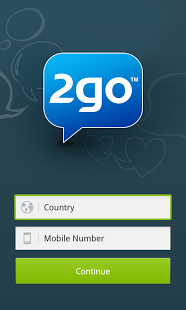
How To Download & Install 2go for Android from Google Play

Since the launch of the New 2go for Android, with it's smart looking design and features, 2go users in Nigerian and few other countries across Africa had been finding it quite difficult to Download and Install the amazing Chat application.
I also went through this same challenge, I would visit Google Play, Search for 2go, when downloading the file (about 2.25MB), it gets to 600kb or 700kb and shows me "package file is invalid"


In many cases, we are advised when Installing an App that gives error such as: "Package file is invalid"

The Fix is:


  • Go to settings > Applications.
  • Open all applications/manage applications.
  • Move to Google Play Store.
  • Then clear data and clear the cache 


  • Well, if that still did't help, here's How I installed 2go App on my Android.
    • Go to Google Play,
    • Install HideMan VPN, Do not open yet
    • Close your Google Play app if it's still running
    Now Launch the HideMan VPN app and Connect
    After some seconds, when Connected, it will change your Country and I.P


    Now head back to Google Play, Search for 2go, and Download again, this time it won't give you any more errors.

    NOTE For Installing INSTAGRAM APP on Your Android

    This same method applies if you are having difficulties installing Instagram, I used HideMan VPN to install Instagram on my droid, but Do not use HideMan VPN to Register on Instagram for the first time on your Android, when I did, my Account got Suspended immediately.
    After Installing Instagram, be sure you disconnect HideMan VPN before going back to launch the Instagram.

    I really don't understand why some Applications bring errors or don't download when we use our original country I.P on Google Play, but I'm pretty sure, the problem will be solved once you're Connected through some VPN application.

    Enjoy!


    Friday

    Create Facebook Pages for Blogger Or Website

    Facebook is not just a social network, it also comes with Pages that lets you build a closer relationship with your audience and customers, besides this, it is also becoming a good source of traffic especially for your website, after visitors browse your site, you would want them to come back and stay connected since these people spend time on the social network, this is the essence of creating a facebook page.
    On this post, I will be sharing my own fast and method of how you can go about making facebook fanpage for a website, probably, you are a blogger, or or you own some other website, go through this steps I have below to set up a fan page and get it up in your site as soon as possible:

    Facebook Pages

    First, Go HERE , there are other page types like:
    • Local business, place, Company, organisation, institution, Entertainment and so on, but since we are creating a Page for a website, you are to go for Brand or Product. Something like the Screenshot we have at the top-left.
    1. A List of categories will show up when you click it,  just scroll down to where you have Websites, select it
    2. Type in your Page Title, make sure you Agree to the Terms of Service, once you've done this, then you are through, but it doesn't stop here does it?
    3. You can Import contacts in your E-mail or Invite friends to like your new page.
    4. Also include a brief description of the page in Edit Page Info section.
    5. Click Save and you're set.
    6. Make sure you invite and tell friends to Like your Page afterwards, also keep posting useful quality content in the page to keep it active and interactive for the Fans.